 BatchOwl
How to move multiple Google Calendar events at once
Updated October 12, 2026
"Move" can mean two things: putting events in a different calendar, or shifting them to a later date. Google Calendar does both one event at a time. Here's how to do each, and how to do a whole batch at once.
Move events to another calendar
One event at a time
- Click the event, then the pencil icon to open its details.
- Next to your name, open the calendar menu and pick the calendar you want.
- Click Save.
Only the event's organizer can move it to another calendar. For a repeating event, the whole series moves together.
Why export and import doesn't move anything
A common tip is to export your calendar and import the file into another one. That makes copies: the originals stay where they were, so you end up with every event twice. If you've already done this, see how to remove duplicate events.
Many events at once
Google Calendar has no multi-select, so for a project's worth of meetings you need a bulk tool. In Calendar Bulk, a Chrome extension we make:
- Pick the calendar and date range, and type a name into Title contains if the events share one.
- Click Find events, then tick the ones you want (shift-click selects a range).
- Choose Move to… and pick the destination calendar.
The events keep their times and guests. You choose whether guests get an email about it; the default is to stay quiet. Repeating events move between calendars as a whole series, so single occurrences of one are skipped.
Push a batch of events to a later date
One event at a time
Drag the event to its new day in week view, or open it and change the date. For a repeating event, Google Calendar asks whether to change only this event, this and following events, or all events.
A whole week (or month) at once
If a launch slipped and everything planned for it needs to move a week, select those events in Calendar Bulk, choose Reschedule… and move them by 1 week. You can shift by minutes, hours, days or weeks, earlier or later.
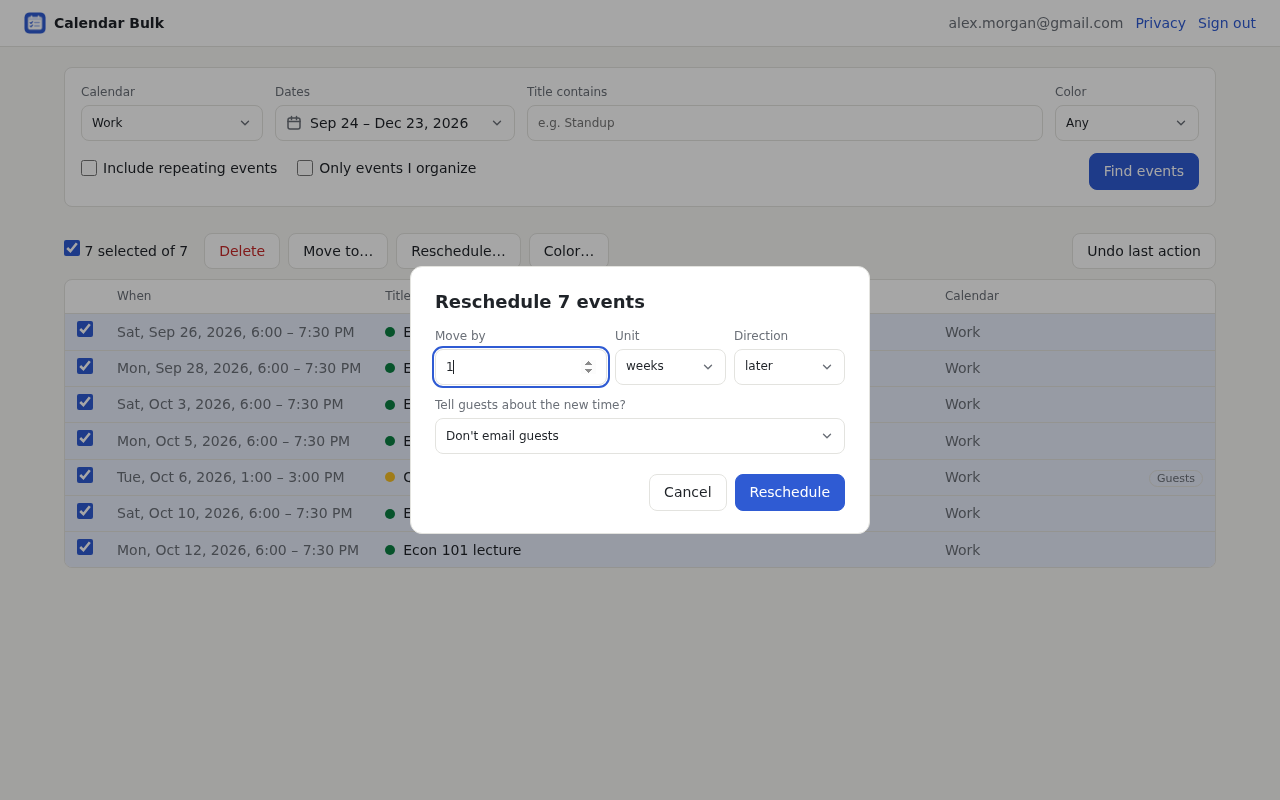
Times stay on the clock you expect: a 9:00 meeting moved by a week is still at 9:00, even if the clocks change in between. All-day events move by whole days. If you pick the wrong events, Undo last action puts them back where they were.
Move or reschedule events in bulk
Calendar Bulk works on any calendar you can edit. Your first 30 events are free; after that it's a one-time $9.
See Calendar Bulk