 BatchOwl
Delete hundreds of Google Calendar events at once.
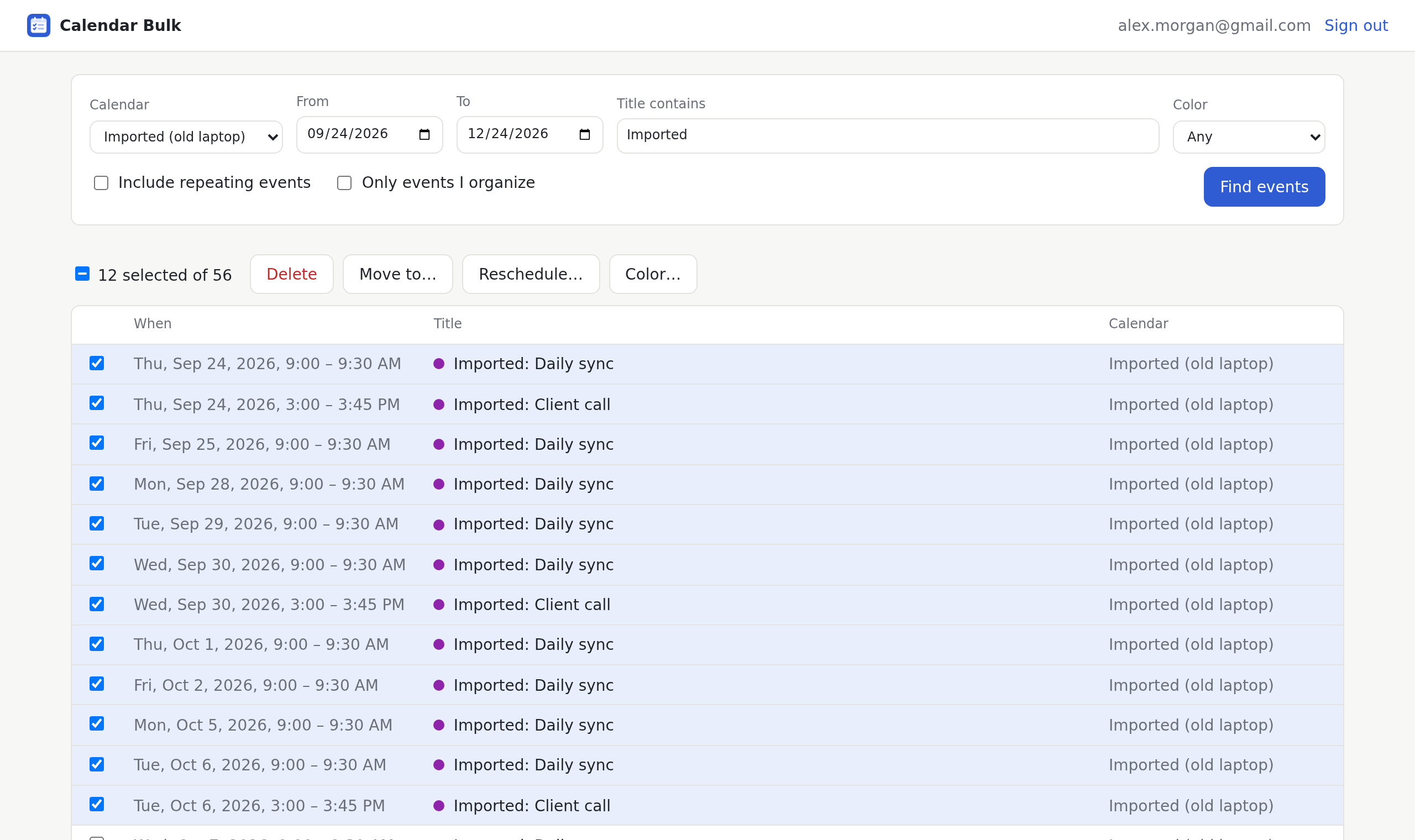
Pick a date range, select what you want gone, then delete, move, reschedule or recolor all of it in one go. Changed your mind? Undo.
Works in Chrome, Edge and Brave.
When a calendar gets out of hand
- An import went wrong
- You moved from Outlook or a new laptop, and now every meeting shows up twice.
- The semester is over
- Months of lectures and office hours are still sitting in your week.
- A project wrapped up
- Its check-ins should move to an archive calendar instead of cluttering the main one.
- Plans slipped a week
- Everything scheduled for the launch needs to move seven days later, together.
Four changes, as many events as you select
-
Delete
Clear duplicates, old classes or anything else in a date range.
-
Move to another calendar
Send events from one calendar to another you can edit.
-
Reschedule
Shift everything by minutes, hours, days or weeks. A 9:00 meeting stays at 9:00, even across a clock change.
-
Recolor
Give a whole group of events the same color so you can spot them at a glance.
Careful by default
Undo the last change
Deleted the wrong batch? One click brings the events back. Moves, new times and colors can be undone the same way.
Guests aren't emailed
When events have guests, you choose whether they hear about it. The default is to stay quiet.
Your calendar stays between you and Google
The extension talks to Google Calendar straight from your browser. We never receive, store or see your events.
Pricing
Free
$0
Every feature, up to 20 events per change. Enough for a quick cleanup.
Unlimited
$9 once
No limit on how many events you change at a time. Pay once, no subscription. Refunds within 14 days, no questions asked.
Questions
Why does it ask for access to my calendar?
To list your events and change the ones you select. It asks for two permissions: to see the list of your calendars, and to view and edit events. It doesn't touch calendar sharing or settings, and it only changes events when you press a button.
Does it work with work or school Google accounts?
Yes, if your organization allows third-party apps to access Google Calendar. You can connect any Google account, not only the one your browser is signed in to.
What about repeating events?
Tick "Include repeating events" to see each occurrence. You can delete, reschedule or recolor single occurrences. Moving to another calendar works for one-off events.
What if I was invited to an event?
Deleting it removes it from your calendar only. The organizer's event and other guests are not affected.
How does the Unlimited upgrade work?
After paying, you get a license key by email. Paste it into the extension when it asks, and the limit is gone for good on that browser.
How do I get a refund?
Email support@batchowl.store within 14 days of buying. See the refund policy.