 BatchOwl
How to delete all events from a Google Calendar (and keep the calendar)
Updated October 16, 2026
Starting fresh, handing over a shared calendar, or clearing out a messy import: Google Calendar can do some of this in one click, but the options delete more than you might expect. Pick the case that matches yours.
Before you start: back up
Open Settings (the gear at the top right), choose Import & export, and click Export. You get a file with every calendar you own, which you can import again if you change your mind. Treat everything below as permanent.
Clear your main calendar
Your main calendar is the one with your name. It can't be deleted, but it can be emptied:
- In Settings, under Settings for my calendars, click your name.
- Scroll to Remove calendar and click Delete.
This removes every event in it, past and future, including birthdays and anniversaries you added by hand. The calendar itself stays. Only do this if you really want nothing left.
Clear a secondary calendar
For a calendar you created yourself, the same Delete button removes the calendar together with all its events, for everyone it's shared with. If that's fine, it's the quickest route. If people subscribe to it, or you want to keep its link and sharing, delete the events instead (below) so the calendar stays.
For a calendar someone else owns, like a colleague's or a holiday calendar, you can't delete its events. Click Unsubscribe to remove it from your list.
Delete only some events: a date range, or everything but a few
Google Calendar has no option for "delete everything before January" or "delete everything except these". You either delete events one at a time or use a bulk tool.
In Calendar Bulk, a Chrome extension we make:
- Pick the calendar and the date range you want to clear.
- Click Find events, then tick the checkbox at the top to select them all. Untick any you want to keep.
- Press Delete. If the events have guests, you choose whether they get a cancellation email; the default is not to send one.
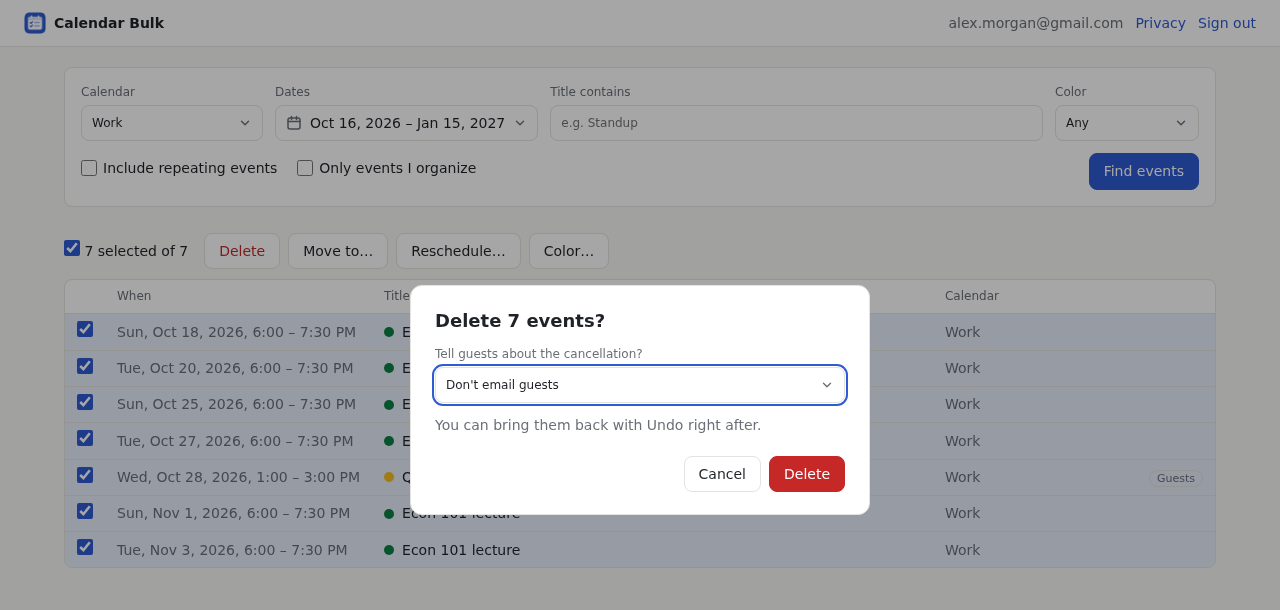
The calendar and its sharing stay as they are. Events you were invited to are only removed from your calendar; the organizer's event isn't touched. If you selected too much, Undo last action brings the events back. Large clean-ups take a little while, because Google limits how fast events can be changed; the extension slows down and retries on its own.
If you deleted the wrong events
Events deleted one by one or with a bulk tool stay in the calendar's trash for 30 days: open Settings, choose Trash, tick them and click Restore all selected. If you wiped or deleted a whole calendar, import the backup file you exported first.
Seeing every event twice rather than wanting them gone? That's a different problem: see how to remove duplicate events.
Clear a date range and keep the calendar
Calendar Bulk lists the events first, deletes them in one go, and can undo. Your first 30 events are free; after that it's a one-time $9.
See Calendar Bulk